Random Color Picker
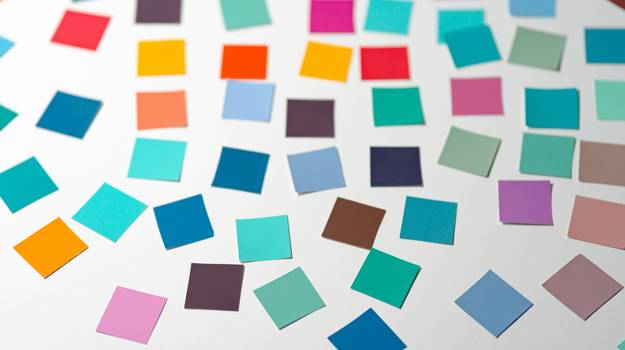
Discover a world of color with the Random Color Picker! Instantly generate a random color and see its hex and RGB codes—perfect for creative inspiration, classroom experiments, design projects, or playful games. Color randomness bridges both the creative and scientific worlds: artists and designers use random colors to spark fresh ideas, while programmers and educators use them to teach about probability, digital color theory, and accessibility.
- Design: Break creative blocks with new palettes, or assign colors for UI elements, backgrounds, and branding.
- Art: Challenge yourself to paint or draw with whatever color appears—great for warm-up exercises and group activities.
- Coding: Use random colors for dynamic data visualizations, placeholder graphics, or web/app prototypes.
Worked Example: Using Your Random Color
Suppose you click "Pick Random Color" and receive #23A1F2 (RGB(35, 161, 242)). Here’s how you might use this color in a design tool or website:
.my-box {
background-color: #23A1F2;
color: #fff;
}
Or, use the RGB code directly in tools like Figma, Photoshop, or PowerPoint to set the exact shade.
- Try challenging yourself: use the next random color as the main theme for your next artwork!
- Designers often use random colors to generate palettes for websites or apps, then fine-tune them for contrast and mood.
The Math Behind Random Colors
Every color you see on your screen is made from a combination of red, green, and blue (RGB) values, each ranging from 0 to 255. That’s 256 × 256 × 256 = 16,777,216 possible unique colors in 24-bit RGB! Each time you pick a random color here, the odds of getting any specific shade—like pure red (#FF0000) or a subtle gray (#8A8A8A)—is exactly 1 in 16,777,216.
Try picking several times in a row: you’re almost guaranteed to get a wildly different result each time, and the chance of repeating a color is astronomically low. This randomness is what makes the tool so useful for number picking, wheel spinning, and generating unpredictable outcomes in games and art.
Creativity & Practical Uses for Random Colors
- Game Development: Assign random team colors, backgrounds, or tokens in board games and video games. For example, shuffle player colors to avoid bias or repetition.
- Classroom & Art Projects: Teachers can have students create pieces using colors picked at random, helping them explore new palettes and think outside the box.
- Palette Inspiration: Use your random colors as a starting point, then combine several picks into a palette for web or print design.
- Randomness Exploration: Combine with our Probability Basics page to learn how randomness works in digital systems and how you can use it to your advantage in creative projects.
For more creative randomness, try the Number Picker to select numbers for color palettes, or use the Wheel Spinner to choose between color options in a game or activity.
FAQ: Random Color Picking, Accessibility & Design
window.crypto.getRandomValues provides cryptographically secure random numbers, ensuring each color is as unpredictable as possible. If not, it falls back to high-quality pseudorandom generation. Every color—across the 16.7 million possibilities—has an equal chance of being chosen.Related Tools & Resources
- Number Picker – Pick random numbers for any purpose
- Wheel Spinner – Pick options or colors randomly
- Probability Basics – Learn more about the math behind randomness
For questions about how the Color Picker works, contact our team: team@diceflipper.com.